How to Make the Mom & Dad in Heaven AI Video (Hug in Heaven)
The fastest way to make the Mom & Dad in Heaven AI video, also called the hug in heaven or an AI memorial hug, is to upload two photos to Try a Trend, one of you and one of the parent or grandparent you've lost: you get a 10-second vertical video of you running up a glowing golden staircase through the clouds and into their arms, with a close-up of the hug, and you see a free preview of the two of you together before you pay.
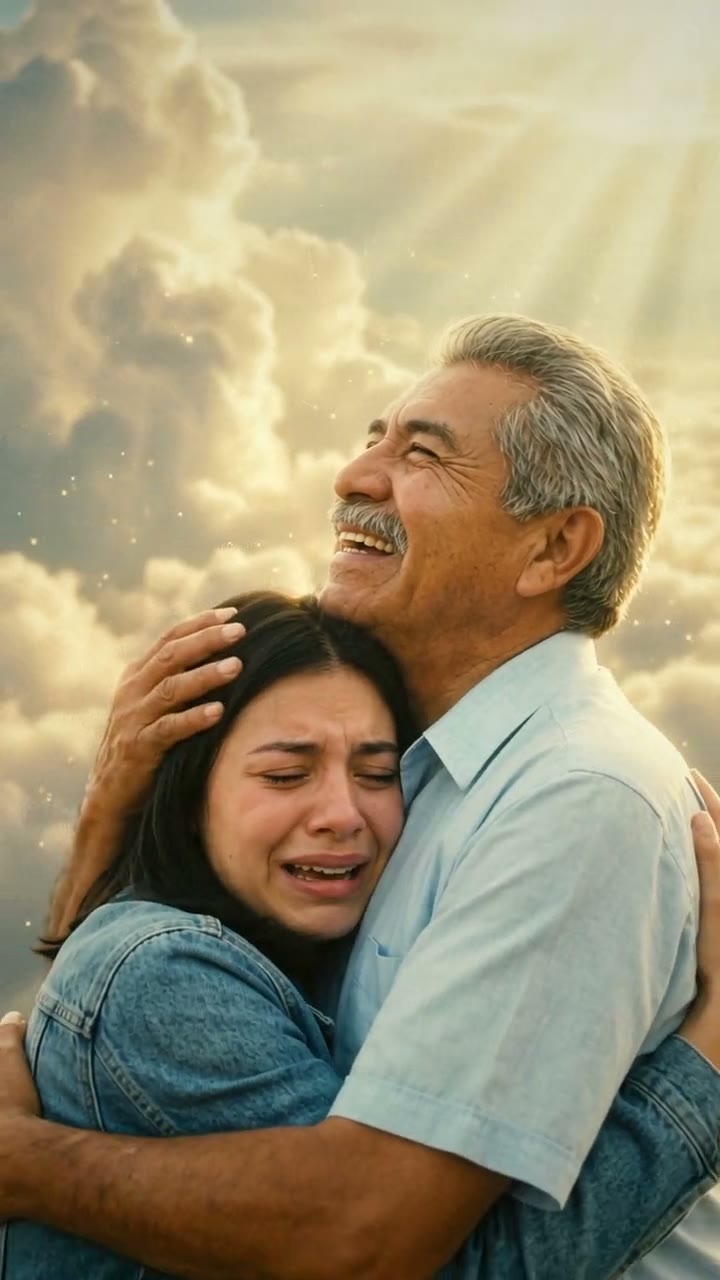
Mom & Dad in Heaven AI Video Generator
2 photos, 10-second vertical video, free preview before you pay. Each video is $7.99.
What is the Mom & Dad in Heaven trend?
On TikTok it's usually called the hug in heaven template, or "abrazo en el cielo" in Spanish. It took off as a CapCut template in June 2026, in the week before Father's Day, mostly in Mexico and across Latin America, and it keeps coming back: around Mother's Day, around the Day of the Dead, at Christmas and on birthdays. People put in their own photo and a photo of a mom, a dad, a grandma or a grandpa who has passed away, and get back a short clip of the two of them meeting again above the clouds.
What makes it hit so hard is how simple it is. There's no story to explain and no dialogue, just the run up the stairs, the moment they open their arms, and the hug. Most people post it with a line about wishing for one last hug.
It's a way to remember someone and to say you miss them. It doesn't pretend to bring anyone back, and that's part of why it feels gentle rather than strange.
What happens in the video, second by second
The most-liked version we studied is a Father's Day post of the CapCut template, about 10 seconds long, made with a photo of a young woman and a photo of her dad.
- 0 to 1 second: seen from behind, she runs up a wide staircase that rises through a sea of soft white clouds. The edge of each step glows gold.
- About 1 to 2 seconds: at the very top, small and far away, her dad appears in a burst of bright light with rays fanning out behind him.
- About 2 to 5 seconds: he opens his arms wide and waits, smiling. The camera follows her up the stairs as he grows bigger in the frame, in a plaid shirt and a grey cardigan.
- About 5 to 5.5 seconds: she reaches the top and runs into his arms. Over her shoulder you see his face light up.
- About 5.5 to 7.5 seconds: cut to a close-up of the hug. She sobs with her eyes shut; he tilts his head back and laughs up at the sky, holding the back of her head.
- About 7.5 to 10 seconds: without cutting, the camera pulls back further and further until they're two small figures holding each other at the top of the golden stairs, surrounded by endless clouds and beams of light.
The shots that carry it are the run seen from behind, the open arms at the top, the close-up of two faces you recognise, and the slow pull-back at the end.
Three ways to make the Mom & Dad in Heaven AI video
1. A CapCut template
CapCut is the free video editor from the company behind TikTok, and this trend spread through its templates. Tap "Use template" (or the CapCut link) under a video you like, or search "hug in heaven", "dad in heaven" or "abrazo en el cielo" in CapCut's Templates tab. Add your photo first and your loved one's second, then export.
Good: quick and free to try, and it looks just like the clips on your feed.
Not so good: templates come and go, and there are many versions with different scenes, so finding the one you saw can take a while. Some templates add the app's ending card or need a paid plan to remove it. How much the people look like the photos varies a lot, and an old or black-and-white photo can come out looking flat.
Best for: people who already use CapCut and want the exact template look.
2. A general AI video tool like Kling or Runway
General AI video tools can animate photos from a text description. You describe the clouds, the stairs, the light and each shot yourself.
- Upload both photos and describe the setting and the look (realistic, warm golden light, clouds).
- Write the shots in order: the run up the stairs from behind, your loved one opening their arms, the hug in close-up, the camera pulling back.
- Generate, then adjust until both faces still look right.
Good: you control every detail, from the colour of the light to what they're wearing.
Not so good: you write and tune the prompt yourself, and keeping two faces recognisable through a hug is one of the harder things to get right. Each try uses paid credits.
Best for: people who enjoy fine-tuning and already pay for an AI video tool.
3. A two-photo generator (Try a Trend)
Try a Trend has the scenes set up, so you only add two photos.
- 1Pick a moment and a mood, then upload a clear photo of you and one of your mom, dad or grandparent; an old or black-and-white photo is fine if the face is sharp.
- 2Confirm the photos are of you and your family member, and that both of you are 18 or older in them.
- 3Check your free preview. If you like it, get the full video.
- 4Download in a few minutes and add a soft song or the trending sound on TikTok.
The classic hug follows the same moments as the viral clip, in our own setting. It opens behind you as you run up a staircase of glowing golden steps through a sea of clouds. Your mom or dad stands at the top in warm light, opens their arms and steps toward you, and you run into them. Then it cuts to the two of you up close: you sobbing, them laughing up at the sky with a hand on the back of your head. The camera slowly pulls away until you're two small figures hugging at the very top of the golden stairs, high above the clouds. Each video is $7.99.
New: pick the moment and the mood. At the same price, choose:
- Moment: the classic hug; walking up into the light together, then turning back to look at you; or a hug beside their ofrenda, among marigolds, candles and papel picado.
- Mood: Heavenly glow (warm gold and clouds); Soft and calm (pale, quiet light for a wake or funeral); Bright and warm (sunshine and flowers for a birthday, Mother's Day or Father's Day).
Good: no template hunting, no photo restoration and no editing. An old, faded or black-and-white photo is fine: the video shows your loved one in full colour, with their face, hair and clothes from the photo. You see a free preview before you pay. No angels or religious figures, so it suits any family.
Not so good: the choices are set (three moments, three moods), the video is silent so you add the music yourself, and it is an AI-made tribute, not real footage of the person.
Best for: anyone who wants a finished, gentle tribute for a parent or grandparent, ready for Mother's Day, Father's Day, the Day of the Dead, Christmas or a birthday.
Tips for photos that work
- Your photo: one clear photo of just you, face visible, waist up or head and shoulders, in good light. Your clothes in the photo are the clothes you wear in the video.
- Their photo: one person with the face sharp and looking toward the camera. If others are in it, crop them out first.
- Printed photos are fine. Photograph it straight on in daylight, without glare, and crop out the border.
- Black-and-white and faded photos are fine too, as long as the face is clear. A very small or blurry photo gives the AI less to work with.
- Pick a photo where they look the way you remember them.
- Only use photos of yourself and your own family member that you have the right to use, of people who were 18 or older. No celebrities or public figures.
What to post it with
- Sound: a soft piano or acoustic song, or the trending sound from TikTok's sound library, where it is licensed.
- Hashtags: #huginheaven, #mominheaven, #dadinheaven and, in Spanish, #abrazoenelcielo or #papaenelcielo.
- A caption in your own words: their name, what you'd tell them, or simply "one more hug". In Spanish, "un abrazo hasta el cielo" (a hug all the way to heaven) is common.
- Good days to post: Mother's Day, Father's Day, November 1 and 2 for the Day of the Dead, Christmas, their birthday or the anniversary of their passing. It works any day you're missing them.
FAQ
Is this the official hug in heaven template?
No. Try a Trend is an independent AI tool that makes its own hug in heaven video from your two photos. We're not affiliated with CapCut or TikTok.
Is there a Spanish version of this page?
Yes. You can make the same video from the Spanish page. For a family member on their own, there's also the Day of the Dead family video.
Make yours
If there's someone you'd give anything to hug again, add your photo and theirs and look at the free preview. Make your Mom & Dad in Heaven video here.