How to Make the Chinese Flash Step AI Video (Shan Shen Bu Pet)
The fastest way to make the Chinese Flash Step AI video with your pet is to upload one photo of your dog or cat to Try a Trend: you get a 10-second vertical video of your pet standing up on its back legs and doing the trend's three moves (the sideways flash step dodge, the one-leg hop kick and the bear shake), with a free preview before you pay and no training or effects.
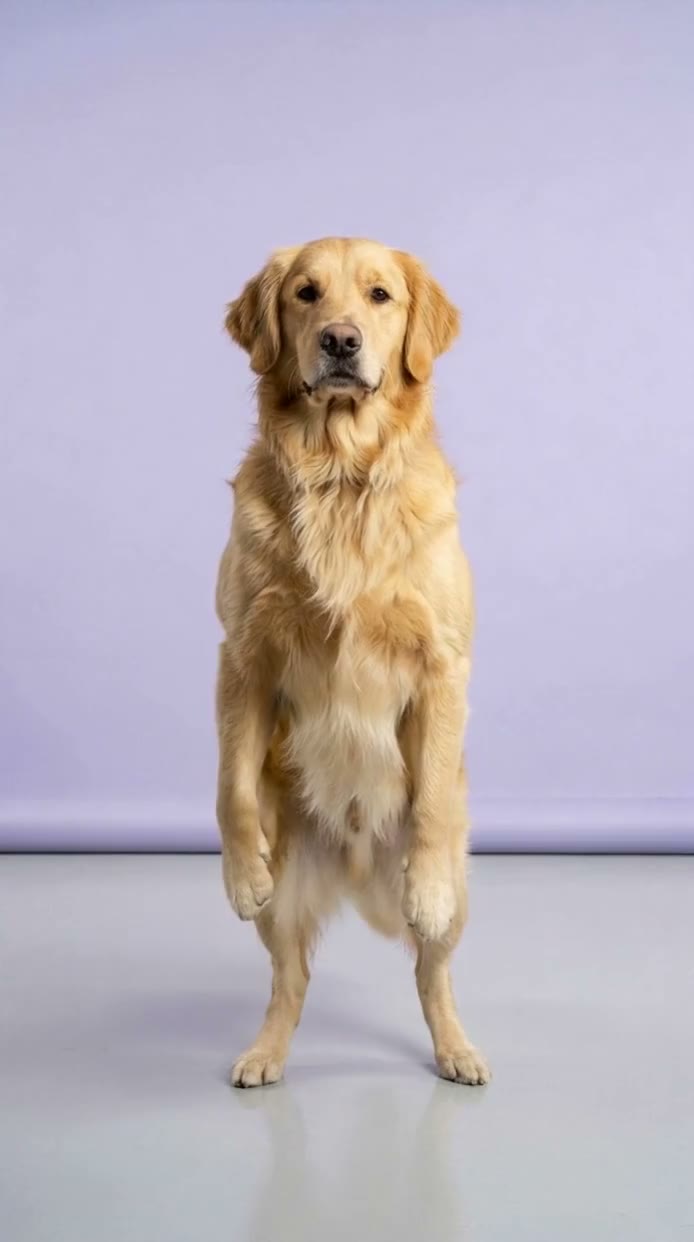
Chinese Flash Step AI Video Generator
1 pet photo, 10-second vertical video, free preview before you pay. Your first video is $4.99, then $5.99 each.
What is the Chinese Flash Step trend?
The Chinese flash step trend, known in Chinese as shan shen bu and tagged #shanshenbu, started on Douyin in late September 2026. Its source is an old Chinese folk dance tutorial filmed on a plain stage. A teacher stands perfectly still and serious, then suddenly throws their whole body sideways in one sharp dodge, legs wide, and springs straight back up as if nothing happened. The tutorial follows it with two more moves: a one-leg hop kick with the arms out like wings, and a wild full-body shake that the tutorial compares to a bear shaking out its fur.
The deadpan delivery made it a meme. AI pet versions followed almost immediately, with a dog on its back legs doing all three moves, and the hashtag is now spreading on TikTok.
What happens in the video, second by second
The AI pet version we studied is about 12 seconds long: a red dachshund on its hind legs in a blue seamless studio with a shiny grey floor, filmed from a fixed camera at eye level. It alternates a still close-up, captioned with the name of the move, with a full-body shot of the move itself.
- 0 to about 1 second: close-up. The dachshund stands upright with its front paws folded at its chest, staring into the lens.
- About 1 to 3.3 seconds: cut to a wide shot. It stands still, sinks a little, then around the two-second mark it suddenly flings itself sideways, almost horizontal, legs wide and ears flying, before snapping back upright with its ears still swinging.
- About 3.3 to 4.6 seconds: back to the still close-up for the next move's name.
- About 4.6 to 7.1 seconds: wide shot. Front paws open like wings, and it bounces on one back leg while the other kicks out in front, swaying side to side.
- About 7.1 to 8.8 seconds: the still close-up once more.
- About 8.8 to 12 seconds: the bear shake. It hops around, then shakes like crazy: paws waving overhead, a deep squat, a spin, ears everywhere, before snapping back into its calm standing pose.
The joke is the contrast: perfectly composed, then completely unhinged for a second, then composed again.
Three ways to make the Chinese Flash Step AI video
1. CapCut (template or your own footage)
CapCut is the free video editor from the company behind TikTok. Search "flash step" or "shan shen bu" in its Templates tab: if a creator has published a template for this trend, use it. If not, you film your pet yourself and edit the clips in CapCut, with the move names as on-screen captions.
- Set up a plain backdrop and a fixed camera at your pet's eye level.
- Film a calm still shot, then whatever "move" you can get: a jump, a shake, a spin.
- Cut between them in CapCut, add the captions and the sound, and post.
Good: it is really your pet, and CapCut is free.
Not so good: real dogs and cats can't stand on their back legs and perform a choreographed dodge, hop kick and shake on cue. You can film your pet's own brand of chaos, but it won't look like the trend.
Best for: people who want a playful, real-footage take on the trend rather than the exact moves.
2. A general AI video tool like Kling or Runway
General AI video tools can animate a photo of your pet. Some also offer motion control, where you give the tool a reference video and it moves your character the same way.
- Upload a clear photo of your pet and describe the studio and the moves in a prompt, or provide a reference video of the moves if the tool supports motion control.
- Generate, then check that all three moves are there and in time.
- Retry until the moves are sharp and your pet still looks like your pet.
Good: flexible, and motion control can copy real choreography closely.
Not so good: describing a fast dodge, a hop kick and a shake in words rarely produces the exact moves, and with a reference video, human hand gestures can carry over onto paws. Matching your pet's face and fur takes retries, and each try uses credits; these tools usually give you a few free credits, then sell monthly plans or credit packs.
Best for: people who already use an AI video tool with motion control and want to experiment.
3. A one-photo generator (Try a Trend)
Try a Trend uses motion transfer here: we recreated the three moves with our own fictional performer, beat for beat with the original tutorial, and your pet follows that exact motion. For the background, keep the setting from your photo or pick a studio, a kung fu courtyard, a living room, a park, or a photo of your own.
- 1Upload one clear photo of your pet, with its face visible and no people in the shot.
- 2Confirm it's your pet (or you have permission to use the photo).
- 3Check your free preview. If you like it, get the full video.
- 4Download in a few minutes and add the trending sound on TikTok.
In your 10-second video your pet stands up on its back legs, flings itself sideways in the flash step and springs back, hop-kicks on one leg with its front legs out, then breaks into the bear shake. Your first video is $4.99, then $5.99 each.
Good: the moves match the trend instead of a guess, no prompt to write, and the video keeps your pet's breed, fur colour and markings. You see a free preview of your pet standing in your chosen background before you pay.
Not so good: it is one continuous full-body shot, without the original's still close-ups between moves and without the move-name captions, so add those yourself when you post. Pets with very short legs or long bodies may look a little stretched while standing up. The video is silent and AI-generated, not real footage of your pet.
Best for: anyone who wants their dog or cat doing the real choreography.
Tips for a photo that works
- One clear photo of your pet with its face fully visible. Dogs and cats both work.
- One animal per photo, and no people in the shot.
- A full-body photo helps, because your pet is shown head to tail while it moves.
- A sharp shot taken while your pet was still, in good light. Use the original, not a screenshot or a drawing.
- Only use a photo of your own pet, or one you have permission to use. If you upload your own background, pick a photo of a place with no people, signs or logos in it.
What to post it with
- Captions: the move names are half the joke in the original. Add "flash step", "hop kick" and "bear shake" as text in TikTok, timed to each move.
- Sound: open the #shanshenbu hashtag in TikTok and use the sound from the popular videos, where it is licensed.
- Hashtags: #shanshenbu, #chineseflashstep, #kungfudog and #petsoftiktok.
- A caption that fits: "my dog learned the chinese flash step".
FAQ
Is this the official flash step video?
No. Try a Trend is an independent AI tool that recreates the moves of the trend with a photo of your pet. We are not affiliated with the dance teachers in the original tutorial, Douyin, TikTok or CapCut, and we don't use any footage from the original videos.
Will my pet really do all three moves?
Yes. Your pet stands up on its back legs and follows the same three moves as the trend: the sideways flash step dodge, the one-leg hop kick and the bear shake.
Can I choose the background?
Yes. By default your pet stays in your photo's own background, made vertical. You can also pick a studio, a kung fu courtyard, a living room or a park, or upload your own background photo. For more pet trends, see all pet trends.
Make yours
If you want your dog or cat doing the real shan shen bu choreography, upload one photo and check the free preview. Make your pet's Chinese Flash Step video here.