How to Make AI Christmas Videos From a Photo: 3 Ideas
The easiest way to make an AI Christmas video is to pick a ready-made Christmas scene and upload one photo: on Try a Trend, Santa can get caught on your home camera giving your pet a present, your dog or cat can work as Santa's elf, or you can share one more Christmas hug with a parent you miss, and each one shows you a free preview before you pay.
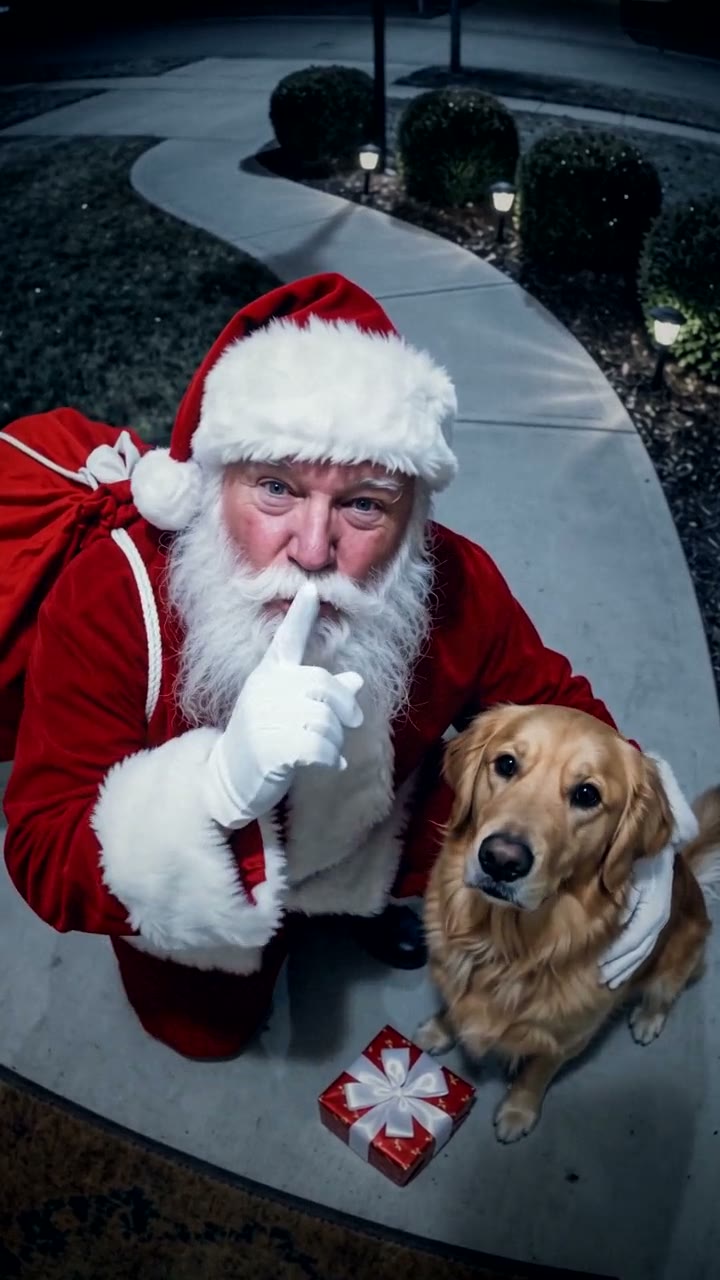
Santa in Your House AI Video Generator
$7.99 per video, free preview first
Make yours
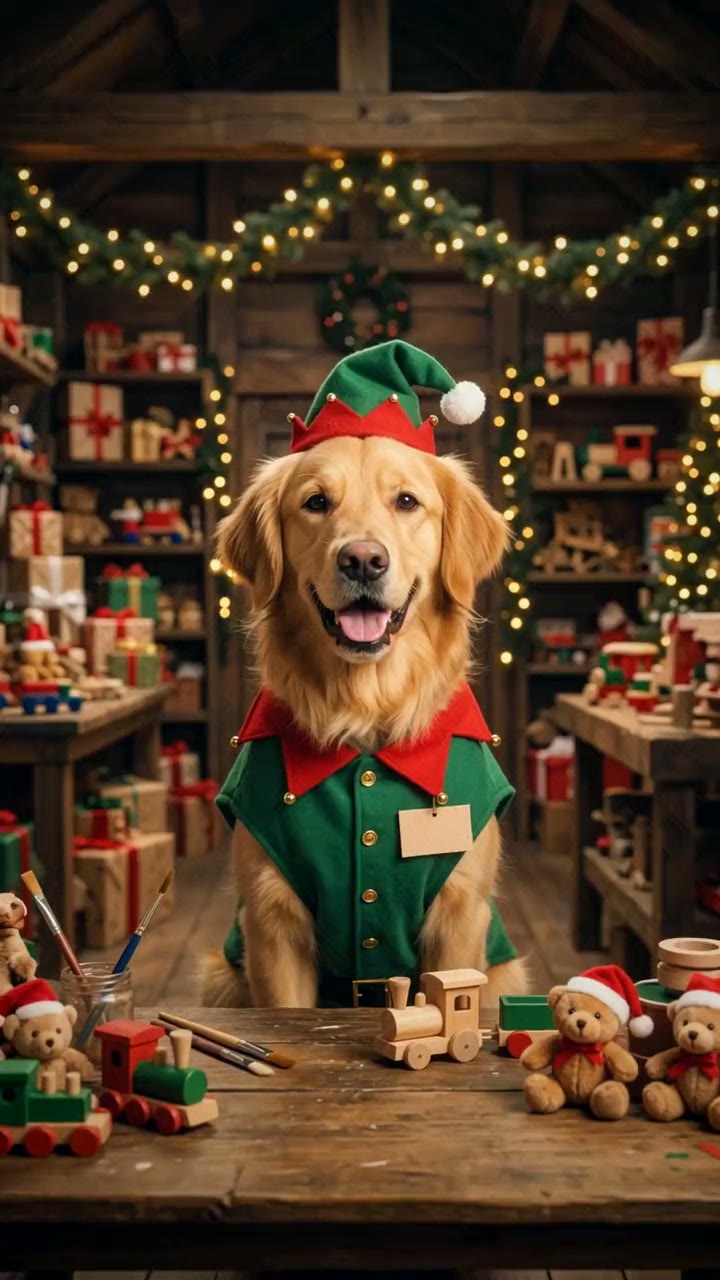
Christmas Dog AI Video Generator
$7.99 per video, free preview first
Make yours
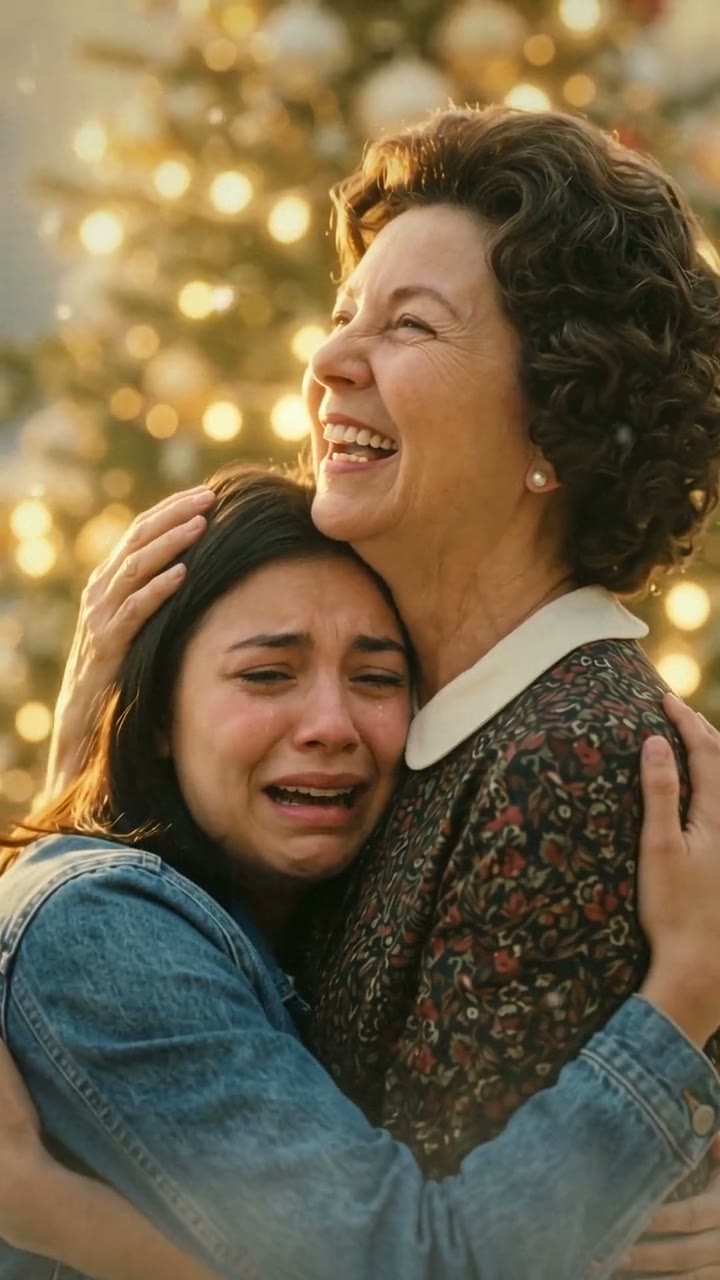
Christmas in Heaven AI Video Generator
$7.99 per video, free preview first
Make yours
What makes an AI Christmas video work
The Christmas videos that spread on TikTok and YouTube Shorts have one thing in common: someone you know is in them. A generic snowy village is pretty, but a video where Santa stops to scratch your own dog's ears, or where your mom waits for you beside a tree, is the one people send to the family group chat.
That means two things matter more than fancy effects. The face (or the pet) has to look like the photo, and the scene has to be one people already recognise, like a doorbell camera at midnight or Santa's workshop.
3 AI Christmas video ideas you can make from one photo
| Idea | You upload | What happens | Price |
|---|---|---|---|
| Santa in Your House | One photo of your pet | A night-camera clip: Santa sneaks up your front walk, gives your pet a present and winks at the camera | $7.99 per video |
| Christmas Dog | One photo of your pet | Your pet works as Santa's elf, tests toys, gets caught with the cookies and flies off in the sleigh | $7.99 per video |
| Christmas in Heaven | Your photo and a parent's | You climb golden stairs above the clouds and hug them beside a glowing tree | $7.99 per video |
1. Santa in your house: an AI Santa video for kids
"Santa caught on camera" videos are grainy night clips that look like they came from a home security or doorbell camera. Parents show them to kids as proof that Santa came. In the Santa in Your House video, the camera sits high on the house at night. Santa tiptoes up the front walk, kneels beside your pet, sets down a little present, then looks up with a smile, a wink and a finger to his lips. He's jolly, never scary.
Best for: families with kids, and anyone with a dog or cat that always waits by the door.
2. An AI dog Christmas video: your pet as Santa's elf
The Christmas dog trend puts a pet in a green elf hat in a fairy-lit North Pole workshop. In the Christmas Dog video, your own dog or cat smiles at you from the workbench, gets carried away on the toy conveyor belt, covers the Nice List in paw prints, gets caught biting a gingerbread star and finally rides beside Santa in the sleigh across the moon. It keeps your pet's breed, coat colours and markings, and only adds the hat and tunic.
Best for: sending to grandparents, or as a Christmas card that moves.
3. Christmas in heaven: one more Christmas with someone you miss
Every December, people post "Christmas in heaven" messages for a parent or grandparent who has passed away. The Christmas in Heaven video uses the shots of the viral hug in heaven template: you climb a staircase of glowing golden steps above the clouds to a tree twinkling with warm lights, where your mom or dad waits with open arms, while snow drifts through the light. Old and black-and-white photos work, and they come out in full colour.
Best for: a first Christmas without someone, posted on Christmas Eve or sent privately to family.
Other ways to make an AI Christmas video
CapCut Christmas templates. CapCut's Templates tab fills up with Christmas templates every December. They're free to try and quick, but most are photo slideshows or text over snowy footage, and you only see how your face turned out after exporting.
A general AI Christmas video generator. Tools like Kling, Runway or Pika can turn a photo into almost any Christmas scene if you describe it well. You write the prompt, check the face and retry, and each try uses credits from a monthly plan or credit pack. It's the most flexible option and the most work.
AI Christmas photo trends. If you only want a still image, the free prompt trends for chatbots and photo apps (Christmas portraits, retro holiday photos) are often enough. They're photos, not videos, and the face can drift from one try to the next.
Try a Trend is an independent tool, not affiliated with CapCut, TikTok or any app mentioned here. Its Christmas scenes are made by AI, and Santa is an AI-made character.
Tips for a photo that works
- Pets: a sharp, well-lit photo of one animal with its whole face visible, eyes open, ideally at its eye level. A photo where you can see its markings helps the AI keep them.
- People: one person per photo, face clear and toward the camera. The clothes you wear in your photo are the clothes you wear in the video, so a cosy sweater fits the mood.
- Old prints: lay the print flat by a window, photograph it straight on without glare and crop out the border.
- Skip heavy filters, stickers and screenshots. Upload the original photo.
When to make it
Videos are ready in a few minutes, so there's no need to start weeks ahead, but don't leave it to the night before either: you'll want time to add music and send it. Popular times to post are the first weekend of December, the day the tree goes up, Christmas Eve and Christmas morning. The videos are silent, so add a carol or a trending sound inside TikTok or Instagram, where it's licensed.
Start with the one your family would love most. For a household with a dog or cat, that's usually Santa in Your House: upload one photo of your pet and check the free preview.