Dime Dime Baby AI Photo Tips: Best Photo, Rejections and Face Match
The best photo for the Dime Dime Baby AI video is a sharp, recent, front-facing photo of only you, eyes visible, no sunglasses or filters, in soft natural light; the close-up bite and stare is where your face matters most, so if the free preview doesn't look like you, switch to a clearer photo before paying instead of hoping a redo will fix it.
Why the photo matters so much in this trend
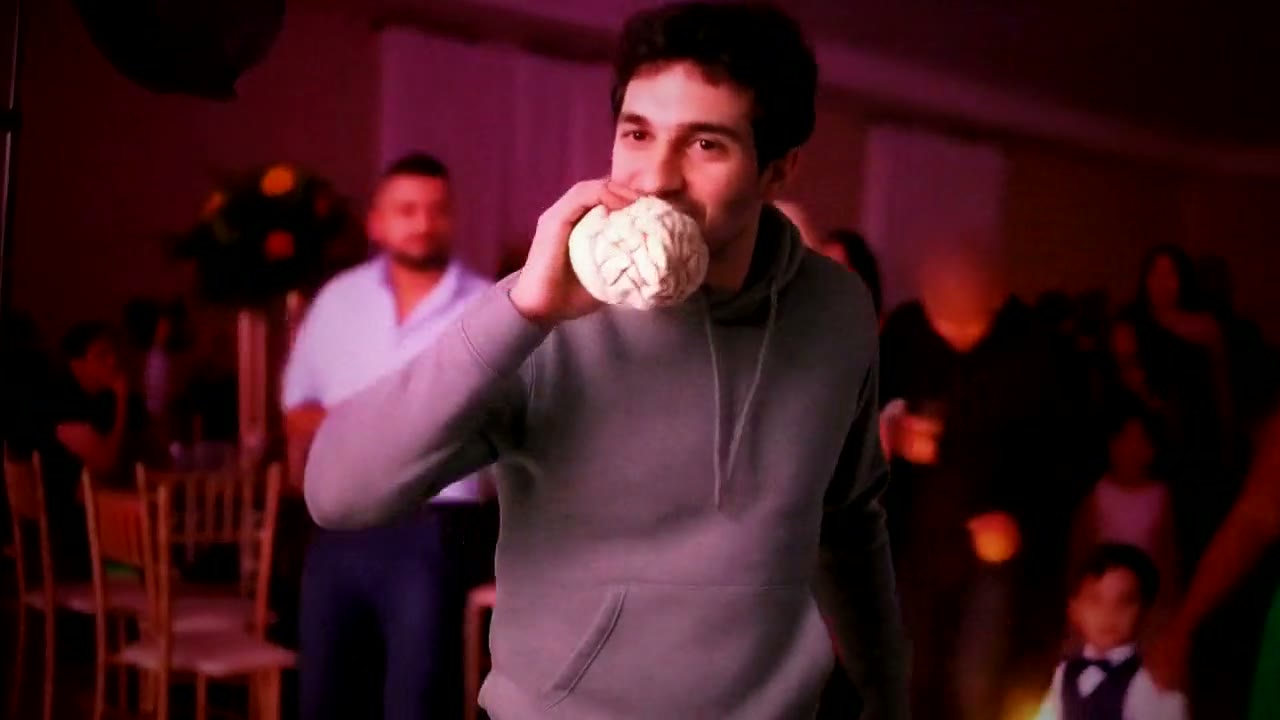
Dime Dime Baby has one moment that carries the whole joke: the camera pushes in until you fill the frame from the chest up, you bite the concha, and you stare straight into the lens while you chew. Everything before that is a wide shot of a busy party; everything after is your back as you dance away. That means the AI has to get your face right in a big, sharp close-up, holding a slow, deadpan look.
Your photo is the only reference it has. A clear photo gives it your real features to hold through the close-up; a weak one forces it to guess, and guessing shows most when your face fills the screen.
A checklist for the right photo
- One person, only you. This is a one-person trend. Couples, friends and family shots are the most common reason photos get turned away.
- Front-facing, eyes open and visible. The stare is the payoff, so the AI needs to see your eyes. A slight angle is fine; a profile is not ideal.
- No sunglasses. Covered eyes are one of the main reasons a face doesn't carry over. Everyday clear glasses are fine if you always wear them.
- Close enough. Chest up or a selfie. A full-length photo shrinks your face to a few pixels.
- Soft light, no filters. Daylight or a window. Skip beauty filters, face-slimming apps, strong flash and dark rooms.
- A neutral expression. A straight face or a small smirk suits the stare better than a big grin.
- The real file. Use the photo itself rather than a screenshot or a version saved from social media.
- Party-ready clothes. You'll wear the outfit from your photo on the dance floor.
The usual reasons a photo is rejected
Before the free preview, an automatic check looks at your photo. It doesn't identify who you are; it looks at what's in the picture. Here is what it turns away and what to do:
| Rejection reason | What it usually means | Fix |
|---|---|---|
| More than one person | A couple, group or a friend at the edge of the frame | Use a selfie, or crop so only you remain and your face stays sharp |
| Face not clear | Too dark, blurry, small, turned away or covered | Retake facing the light, closer to the camera |
| Not a real photo | A drawing, cartoon, game still or screenshot | Upload an actual photo of a person |
| Media or event photo | A red carpet, stage, logo wall or magazine cover | Use a personal photo; studio portraits are fine |
| Clothing | Underwear, posed swimwear or suggestive shots | Pick an everyday photo |
| Age | Anyone who looks under 18 | The site only accepts photos of adults 18 or older; this trend doesn't take children's photos |
Uploading the same photo again gives the same result, so change the photo rather than retrying.
When the face doesn't look like you
Before paying: the free preview is your test drive. It shows you holding the concha in the party hall, and you can make up to five previews a day without an account. If the face looks off, try a different photo: sharper, brighter, closer, eyes uncovered.
After paying: you get one free redo within 72 hours, but it uses the same photo. That's useful if a single take came out strangely, for example a stiff moment in the turn. It won't fix a photo problem. A lot of people hit redo straight away without changing anything and get a very similar face back. The photo, not the attempt, is what to change.
What isn't a photo problem: the guests are the same in every video, the bread can look a little too perfect up close, and the horizontal video shows with space above and below on a phone held upright. Those are part of how the video is made.
Privacy
Only upload your own photo or one of someone who agreed to it. Photos are used only for your preview and video and are deleted within 72 hours.
Try a Trend is an independent tool, not affiliated with the song or its artists, the person in the original clip, or TikTok.
FAQ
Can I use a photo where I'm smiling?
Yes, it works. A neutral or slightly serious face just suits the deadpan stare a little better than a big grin.
My photo was rejected for having more than one person, but I'm alone. Why?
Look for someone partly in the frame next to you, or a large, clear face on a poster or screen behind you. Crop tight around yourself and try again; a new selfie also works.
Does it work with a photo of a woman?
Yes. Whoever is in the photo takes the lead with the same moves, in the clothes from the photo.
Can I fix the face with a redo?
Only if the photo was good to begin with. The redo reuses the same photo, so check the free preview and change photos before paying.
Do I need to hold bread in my photo?
No. The concha is added to your hand in the video.
Try your photo
For the background on the clip, read what the Dime Dime Baby trend is; for costs, what's free and what's paid; for every method, how to make the Dime Dime Baby AI video. Then upload your photo on the Dime Dime Baby trend page and check the free preview.