Is There a Free Dime Dime Baby AI Generator? Free vs Paid, Honestly
Partly: on Try a Trend the preview of you at the quinceañera, concha in hand, is free and needs no sign-up, while the finished 9-second horizontal video is paid per video ($4.99 for your first video, then $5.99 each, no subscription, no watermark); if you want to pay nothing at all, your options are a CapCut template that still works or the starter credits in a general AI video app.
The free part, and where it stops
It helps to split the process into steps and mark which ones cost money.
| Step | Free? |
|---|---|
| Uploading a photo and the automatic photo check | Free |
| A preview still of you on the dance floor with the bread | Free, no account, up to five a day |
| The preview's light watermark | Only on the preview; the paid video has none |
| The full dance-in, bite, stare and dance-out video | Paid, $4.99 for your first video, then $5.99 each |
| A subscription or a trial that renews | None |
That is the whole model. You can find out whether the result looks like you without paying, and you pay only for a video you've decided to keep.
Why the full video isn't free
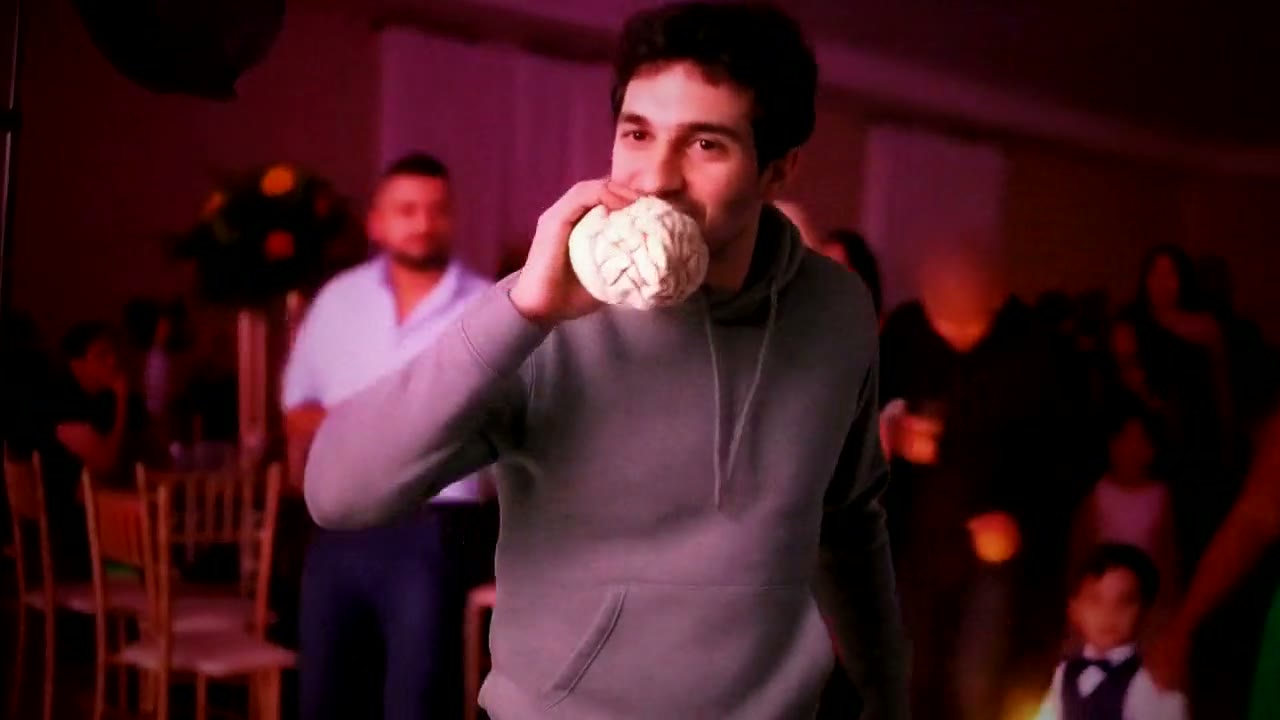
This trend is expensive to make well. The original is one continuous handheld shot with a whole party dancing, a camera that pushes in from full body to a chest-up close-up, and a bite that has to land on the beat. Keeping your face steady through that close-up, keeping the concha in your hand, and keeping a room full of guests moving takes real computing time, which is also why the video takes about 12 minutes rather than seconds.
What the payment covers:
- A 9-second horizontal video in 720p (1280×720), matching the original's single shot, push-in and turn.
- AI-generated, fictional guests dancing around you the whole time, in a quinceañera hall with purple and magenta party lights.
- An HD poster photo and a ready-to-post caption.
- One free redo within 72 hours, from the same photo, if you're not happy.
- A refund of the credit if the video fails, and your photo deleted within 72 hours.
It's silent, so you add the Dime Dime Baby sound when you post. And it's horizontal like the original, so on TikTok it plays with space above and below.
Free alternatives, compared honestly
CapCut templates
The free route most tutorials push. Find a Dime Dime Baby AI video that shows a CapCut template link, open it, swap in your photo and export. You may be able to do it on your phone without paying. The catch: templates come and go, working links can take a while to find, you can't choose the outfit or the setting, and the popular versions are cropped vertical rather than the original's wide shot.
Starter credits in AI video apps
General tools like Kling or Runway usually include a few free credits. A text prompt alone won't recreate the walk, bite and stare, though; you'd need motion transfer and a clip you have the right to use. Props are the weak spot here: the bread can melt or jump between hands, and the close-up is where a drifting face shows most. When the credits run out, it's a monthly plan or a credit pack.
Which route fits you
| What matters most to you | Route to try first |
|---|---|
| Paying nothing, and you have time to hunt for a link that still works | A CapCut template |
| Trying your own prompts, clips and settings | A general AI video app |
| Seeing your face in the scene first, then getting one finished video without editing | The free preview on Try a Trend, then $4.99 for your first video, then $5.99 each |
None of these is the wrong choice. If a free template gives you a result you like, use it; the preview here costs nothing either way, so you can compare before you decide.
Getting the most from the free preview
Treat the preview as a test of your photo. A sharp, front-facing photo of just you, no sunglasses, gives the best match in the close-up, and if the preview face looks off, try another photo before paying, because the free redo uses the same photo. Our Dime Dime Baby photo tips cover what to upload and why photos get rejected. For the story behind the clip, see what the Dime Dime Baby trend is, and for a full method comparison, how to make the Dime Dime Baby AI video.
Try a Trend is an independent tool. It isn't affiliated with the song or its artists, the person in the original clip, TikTok, CapCut or any app mentioned here.
FAQ
Can I make the Dime Dime Baby AI video for free?
You can preview it for free. The finished video is paid per video, $4.99 for your first video, then $5.99 each, with no subscription. A CapCut template may be free if you find one that still works.
Do I have to create an account?
No. The upload and the preview work without signing up.
Will the video I pay for have a watermark?
No. Only the free preview has a light watermark.
Why does it take about 12 minutes?
The whole party, the camera push-in and your face through the close-up are generated to match the original shot, which takes longer than a simple template.
Is it a subscription?
No. Each video is a single payment, and nothing renews.
See yourself at the party for free
Upload one photo, check the free preview, and only pay if you like it. Start your Dime Dime Baby video.